The Operators Lens
Overview
Overview
UX Designer
Alex Chartrand
Figma
FigJam
Teams
Anisa Ellis
Jack Fried
UX Researcher
Prototyper
My Roles
Team Members
Tools
Client
Re-designed an in-cab interface for heavy machinery to improve trust and usability in high-risk environments. Completed as part of a UX design challenge with a Fortune 500 company, where my team’s solution earned 1st place.
Fortune 500 Company
Spotlight
Spotlight
The Showstopper
The Showstopper
The Showstopper
Video about 1:00 minute long
Research
Research
Main Problem
The Interview
Competitive Anaylsis
Ideation
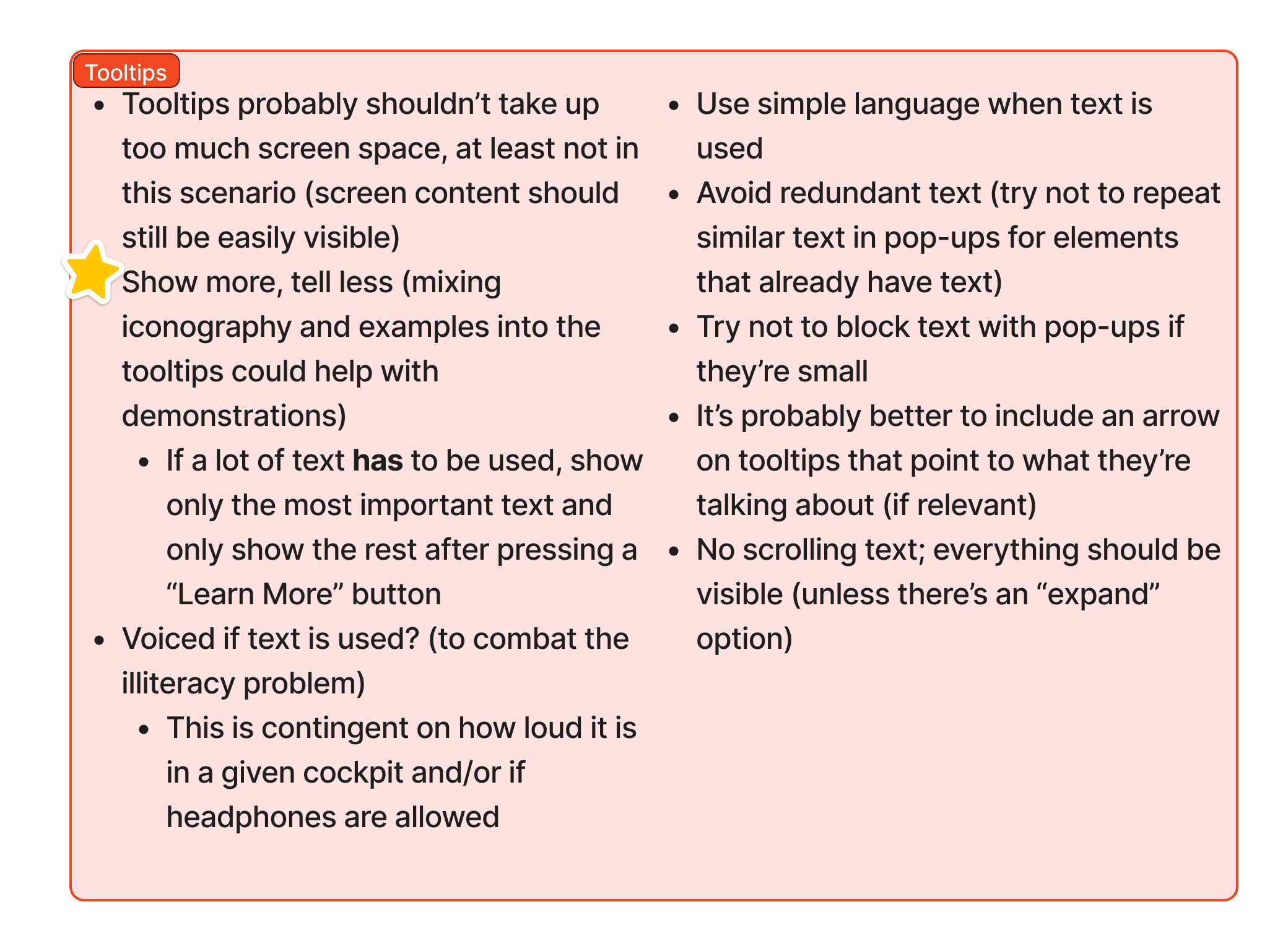
Operators didn’t trust the in-cab system or understand what managers could see, so they avoided using it. The screens felt overwhelming and confusing. Our research showed the core issues were lack of trust and lack of clarity.
Operators didn’t trust the in-cab system or understand what managers could see, so they avoided using it. The screens felt overwhelming and confusing. Our research showed the core issues were lack of trust and lack of clarity.
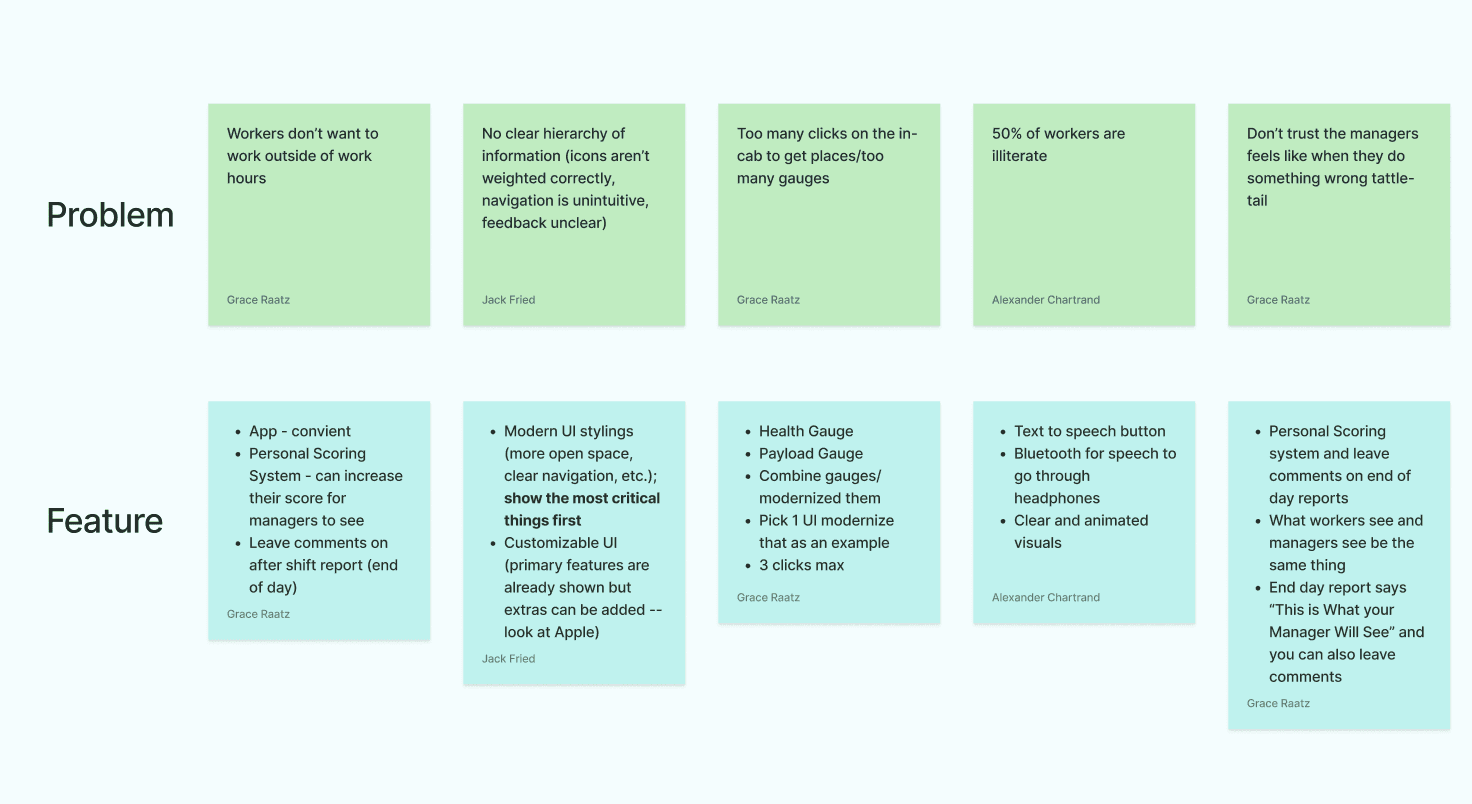
I requested a one-on-one interview with an operator so our team could hear directly from users. We created an interview script together and organized the responses in FigJam. Three of our key takeaways from the interview were:
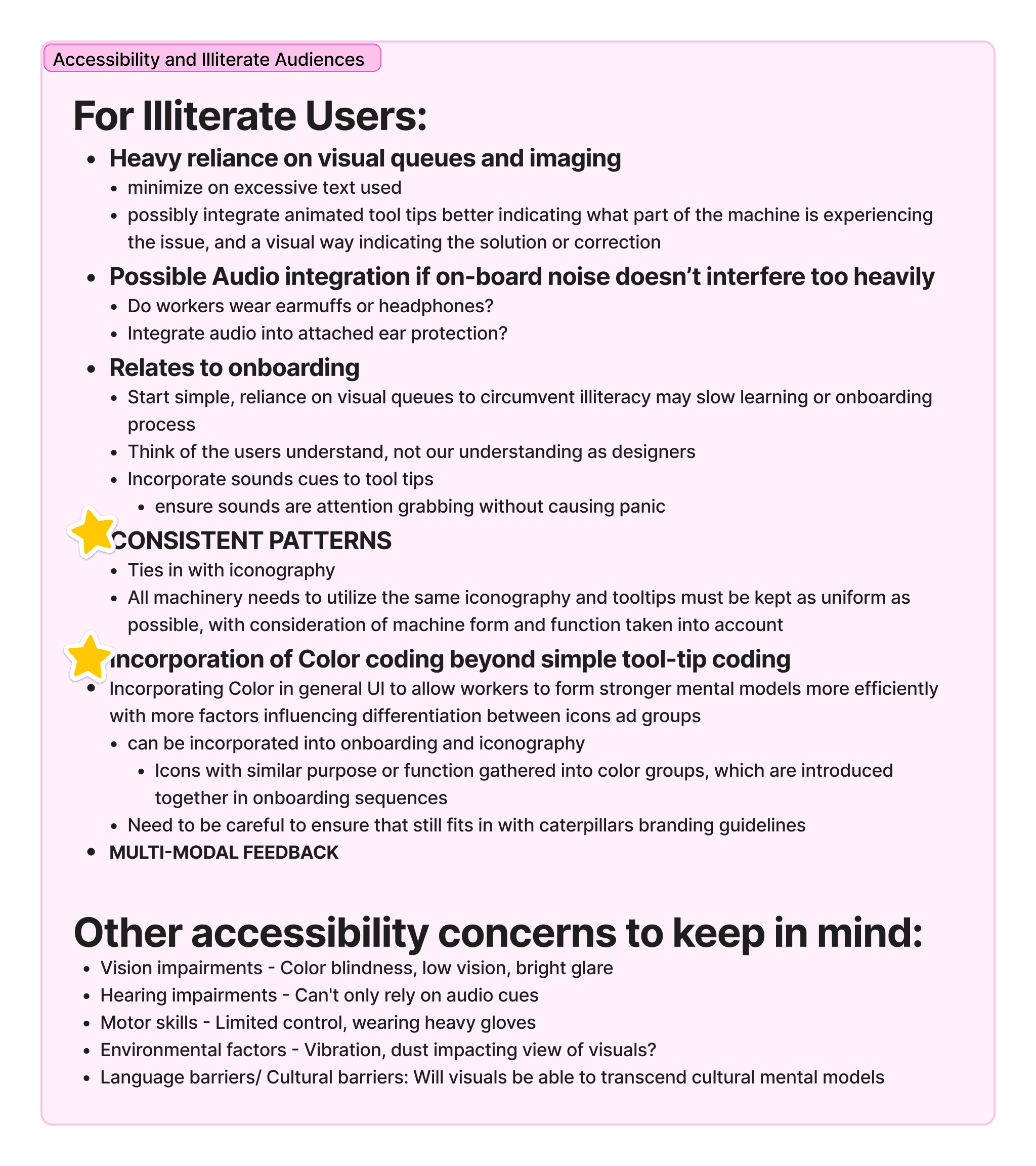
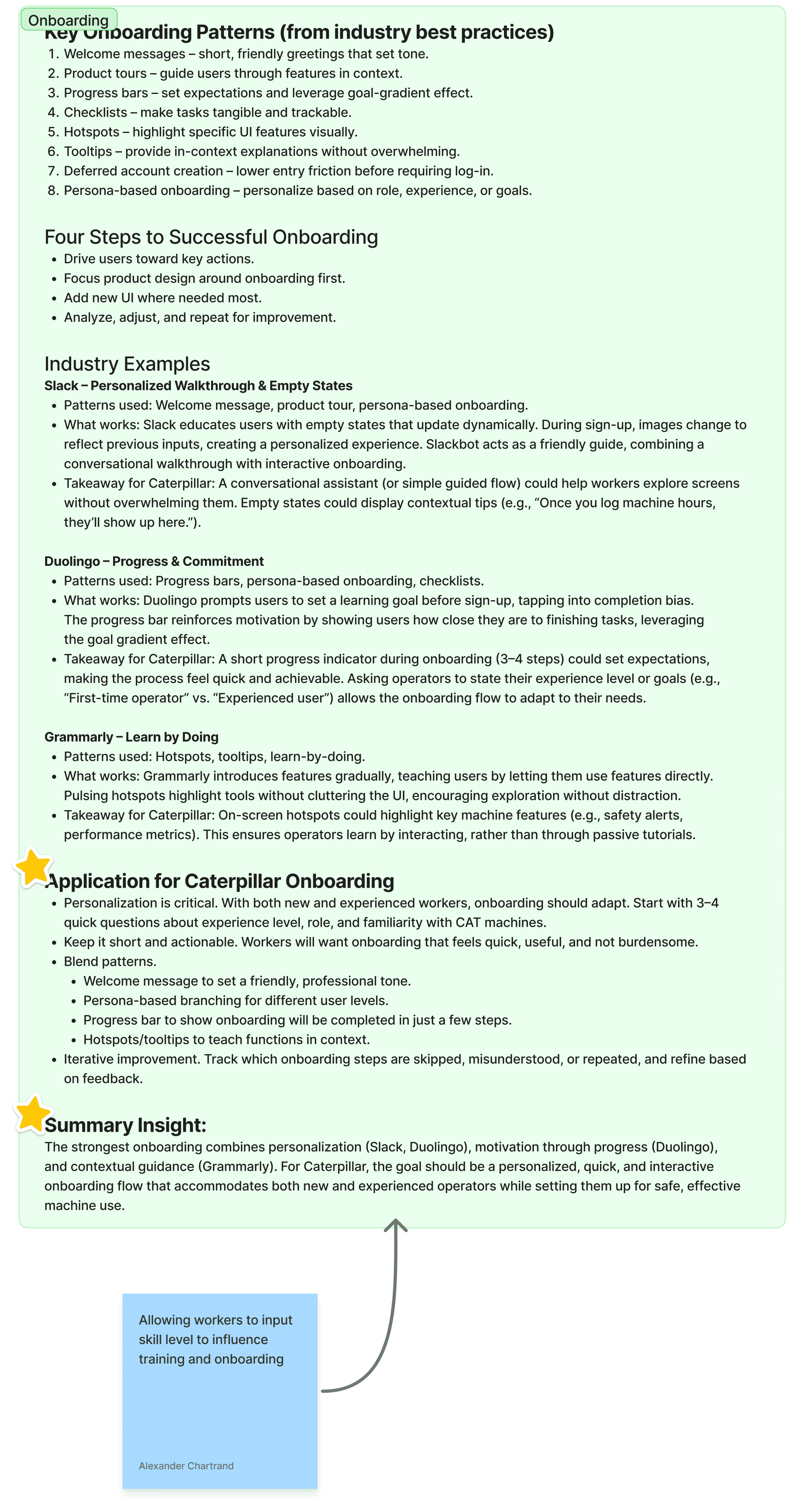
A competitive analysis of in-cab systems revealed key patterns that support operators — quick onboarding, clear cues, consistent layouts, and guided workflows — shaping our direction for ideation.
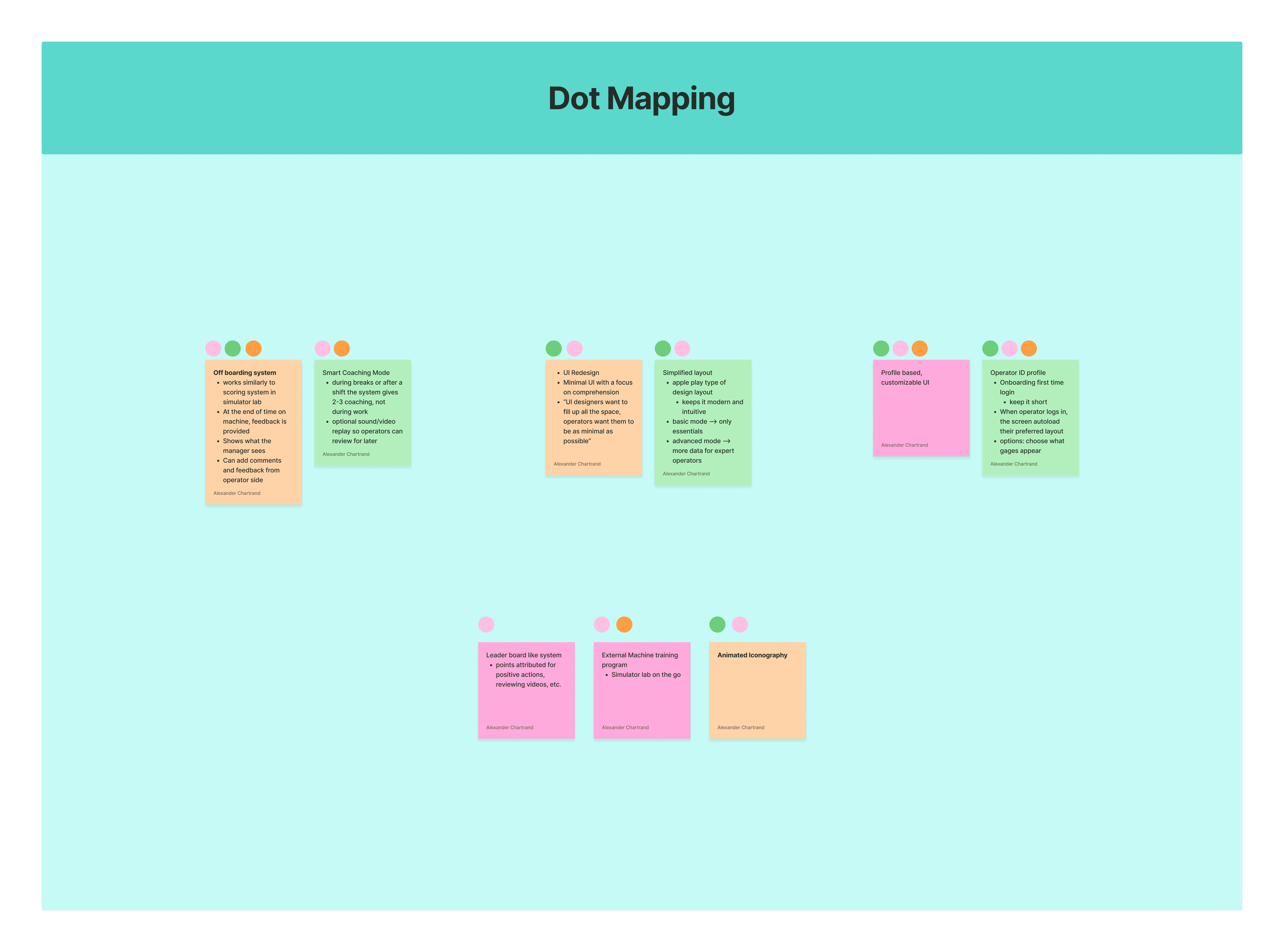
After aligning on operator pain points, we used Crazy 8s and Dot Voting to prioritize solutions such as manager feedback visibility, smart coaching with replay, customizable UI modes, profile-based layouts, and supportive gamification — all aimed at a more intuitive operator experience.
Operators fall into two groups: Novices, who are eager to learn, and experienced, who prefer not to be micromanaged, but both want a system they can trust.
A successful design should be simple (at max three touches per task), image-heavy, and easy
to navigate.
The current in-cab interface is cluttered, with small touchpoints, and many operators have limited literacy.
Plotting the Path
Plotting the Path



Operators fall into two groups: Novices, who are eager to learn, and experienced, who prefer not to be micromanaged, but both want a system they can trust.
I requested a one-on-one interview with an operator so our team could hear directly from users. We created an interview script together and organized the responses in FigJam. Three of our key takeaways from there interview were:
See it all in Figma
Want to view the first place wireframes? Click the button below to be taken to the design file!
This UX journey follows the path from our project plan to clear direction through ideation, flows, and inspiration. Ready to keep going?
View the UX Journey
Design
Design
Coaching System
Features We Added
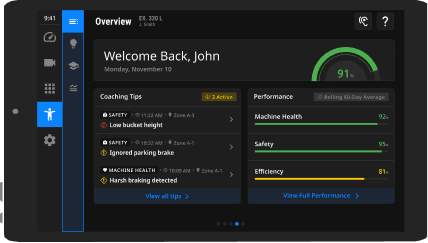
The ear icon lets operators toggle audio on or off. When on, holding any element for two seconds reads it aloud. This supports low-literacy users without adding clutter for others.
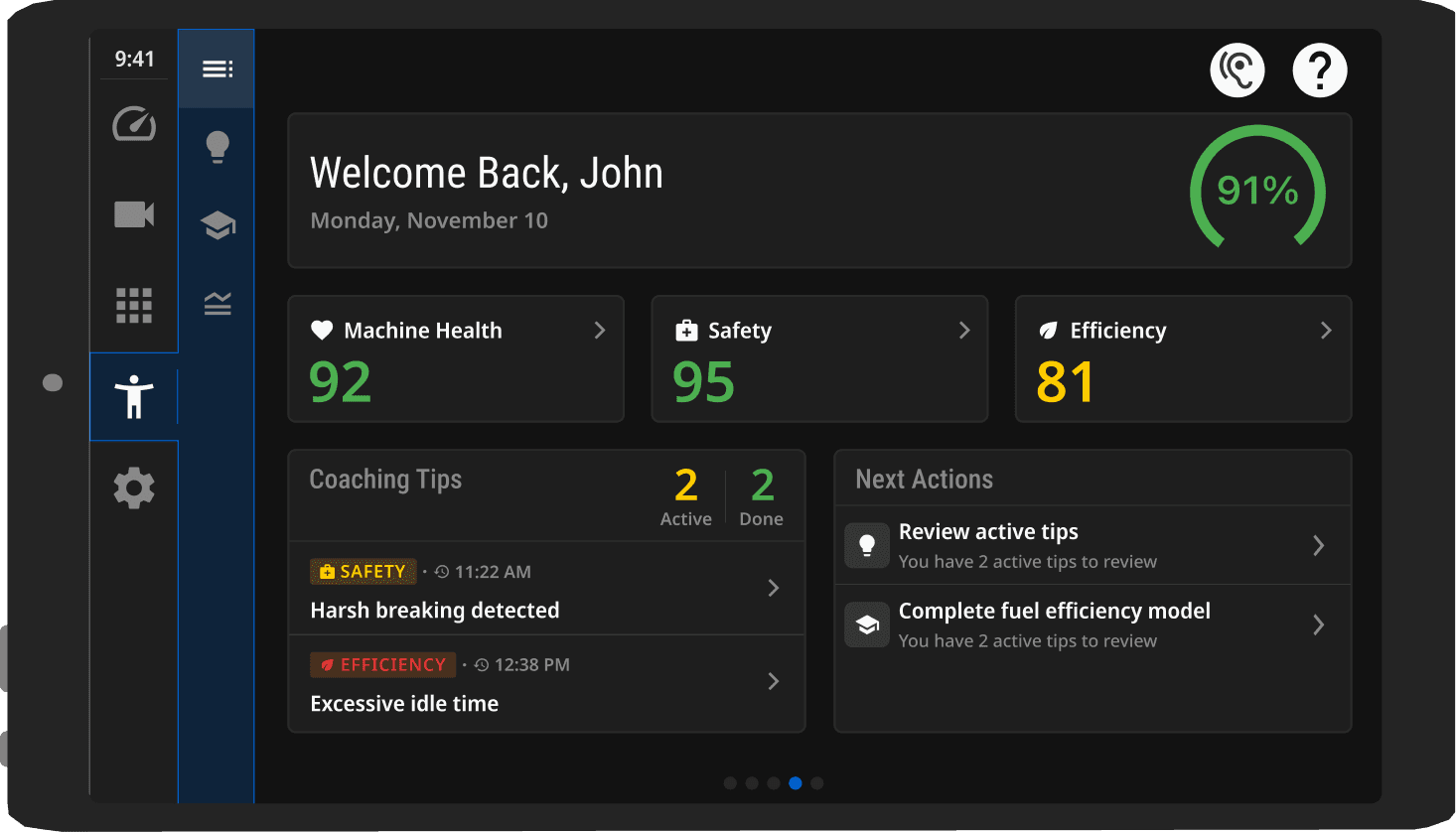
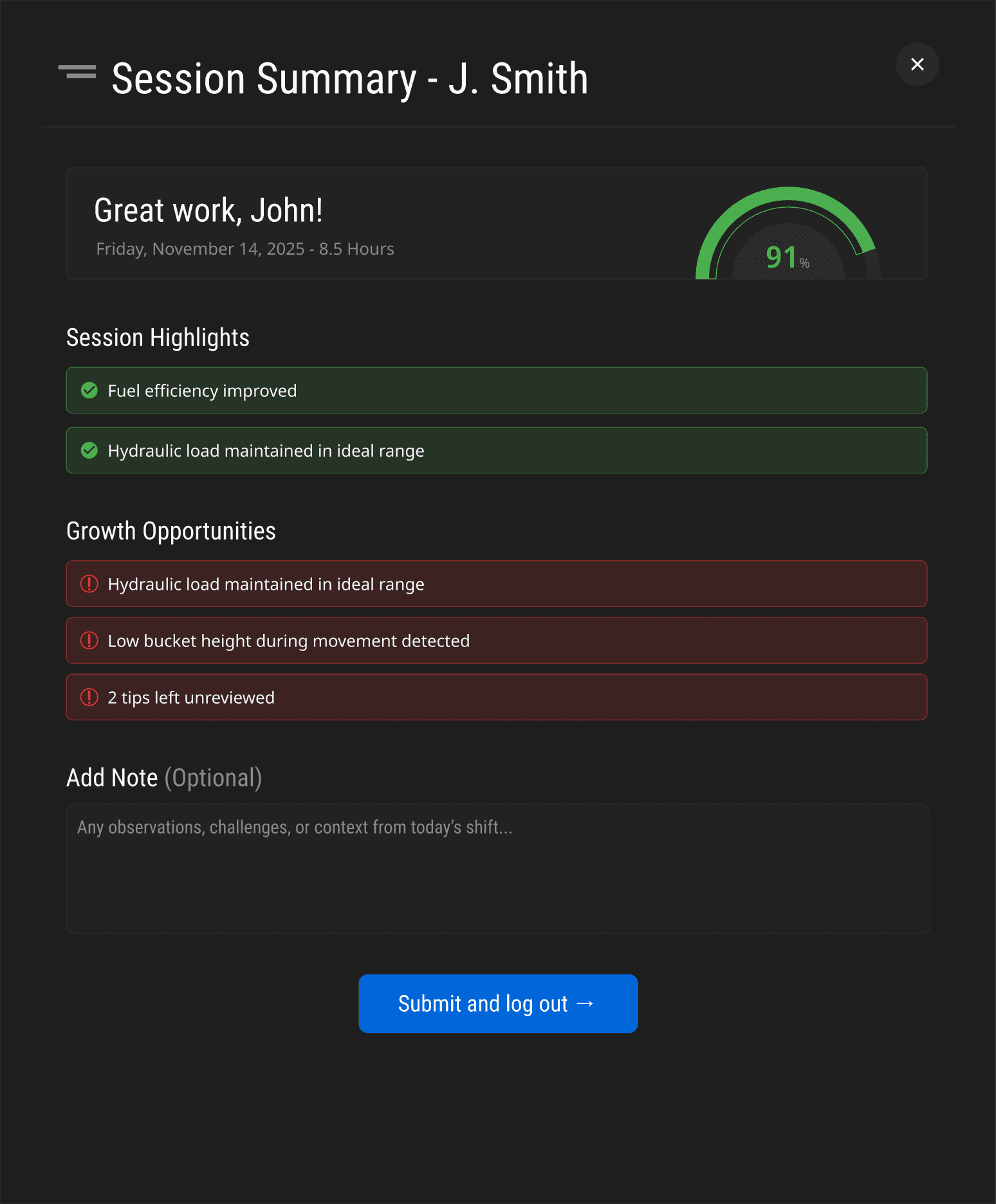
We built trust with a session summary that shows exactly what managers can see, using supportive language instead of negative wording. We also added a comments section so operators can explain their score to managers, giving them more transparency, context, and control.
Three paths emerged:
Focused on customization
Coaching
Extra Features
Each guiding operators in different ways. Take a look at the before and after from user testing of the in- cab screens.
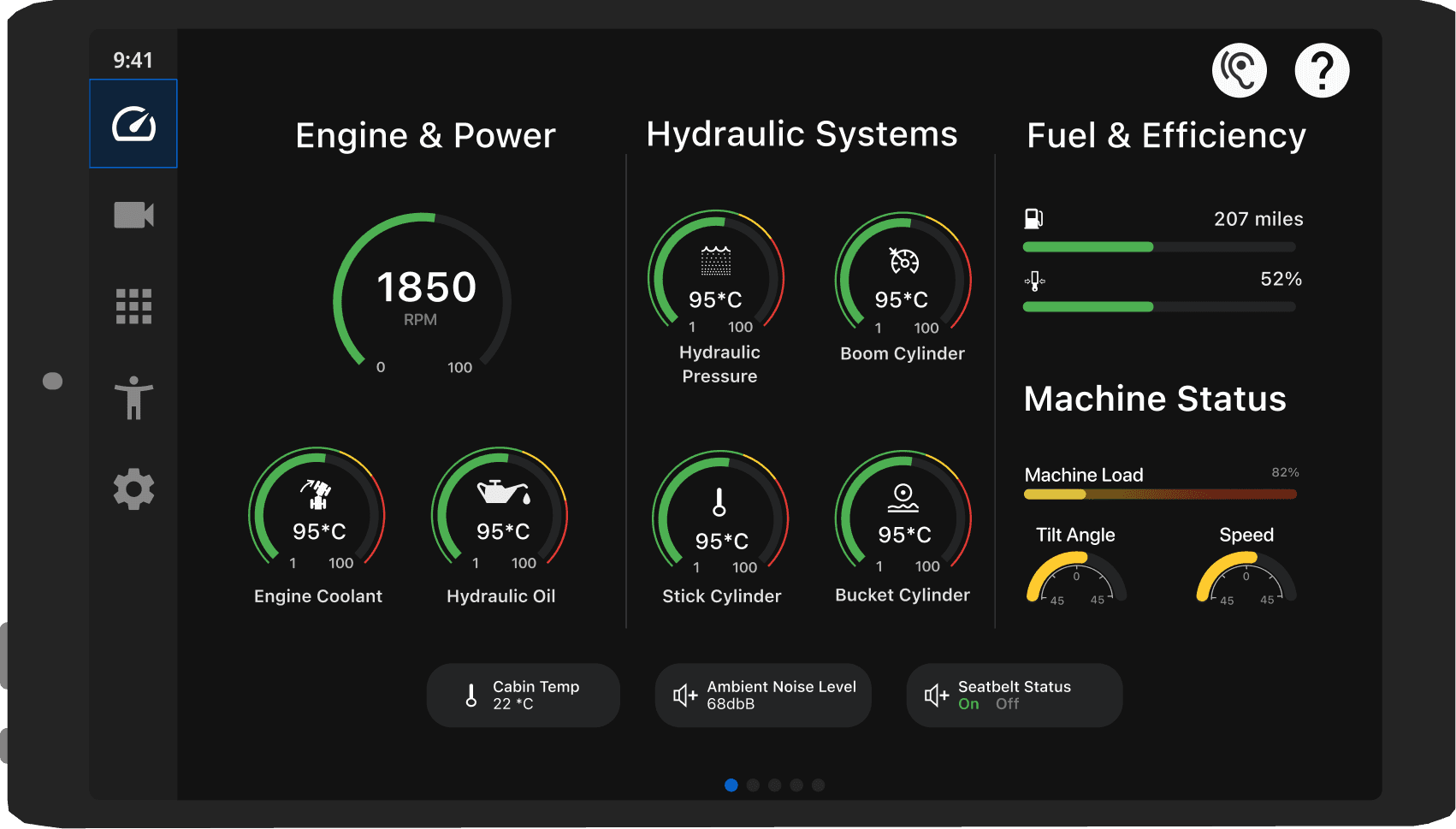
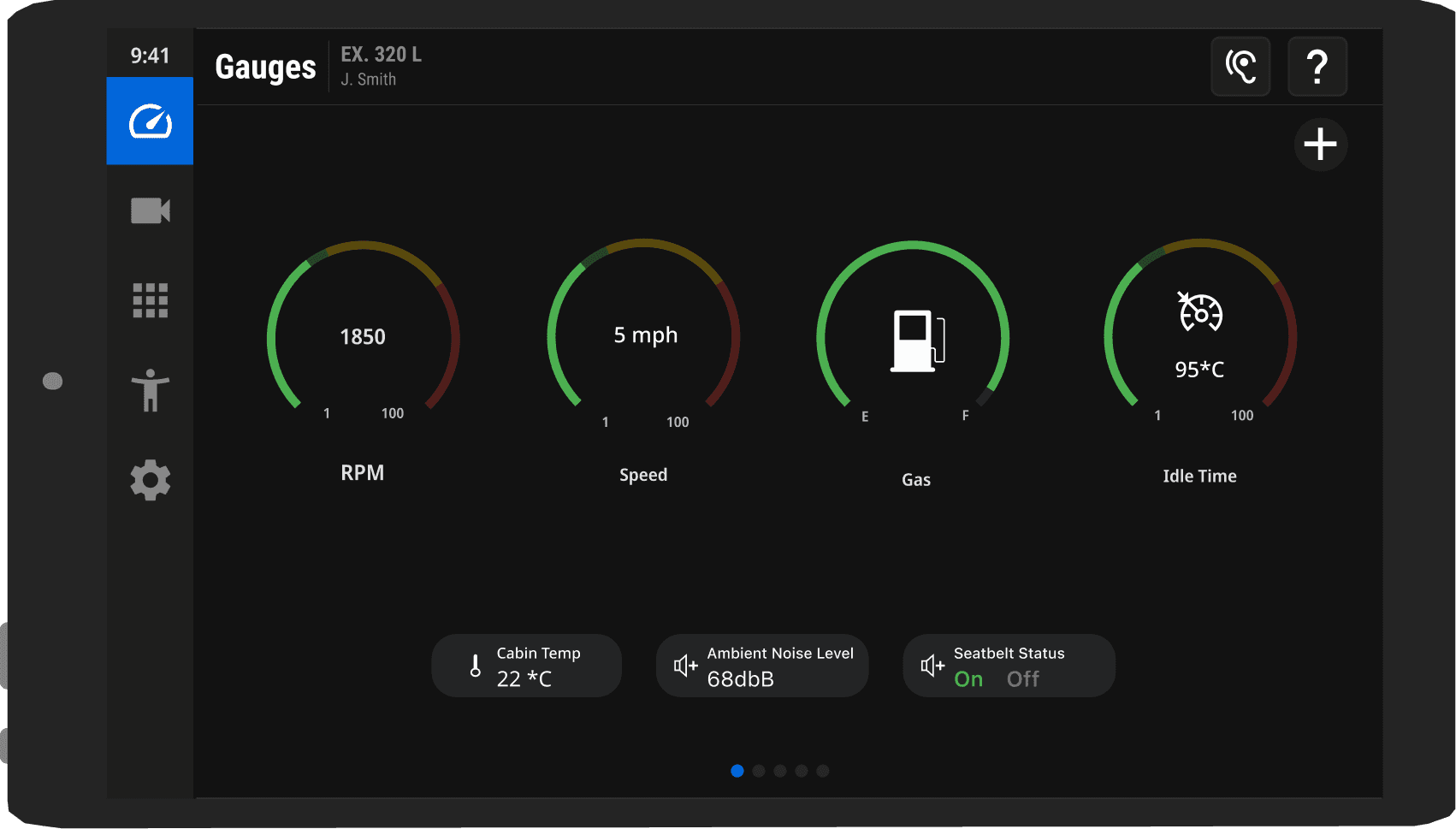
Before user testing, the design had 12 gauges with indicators around the edges. Operators found the screen overwhelming, hard to interpret, and wanted more control over which gauges they saw.
After user testing, we added customizable gauges (up to 10), integrated glowing indicators directly into each gauge, and simplified text with icons - making the screen clearer, faster to read, and more user-friendly.
Gauges
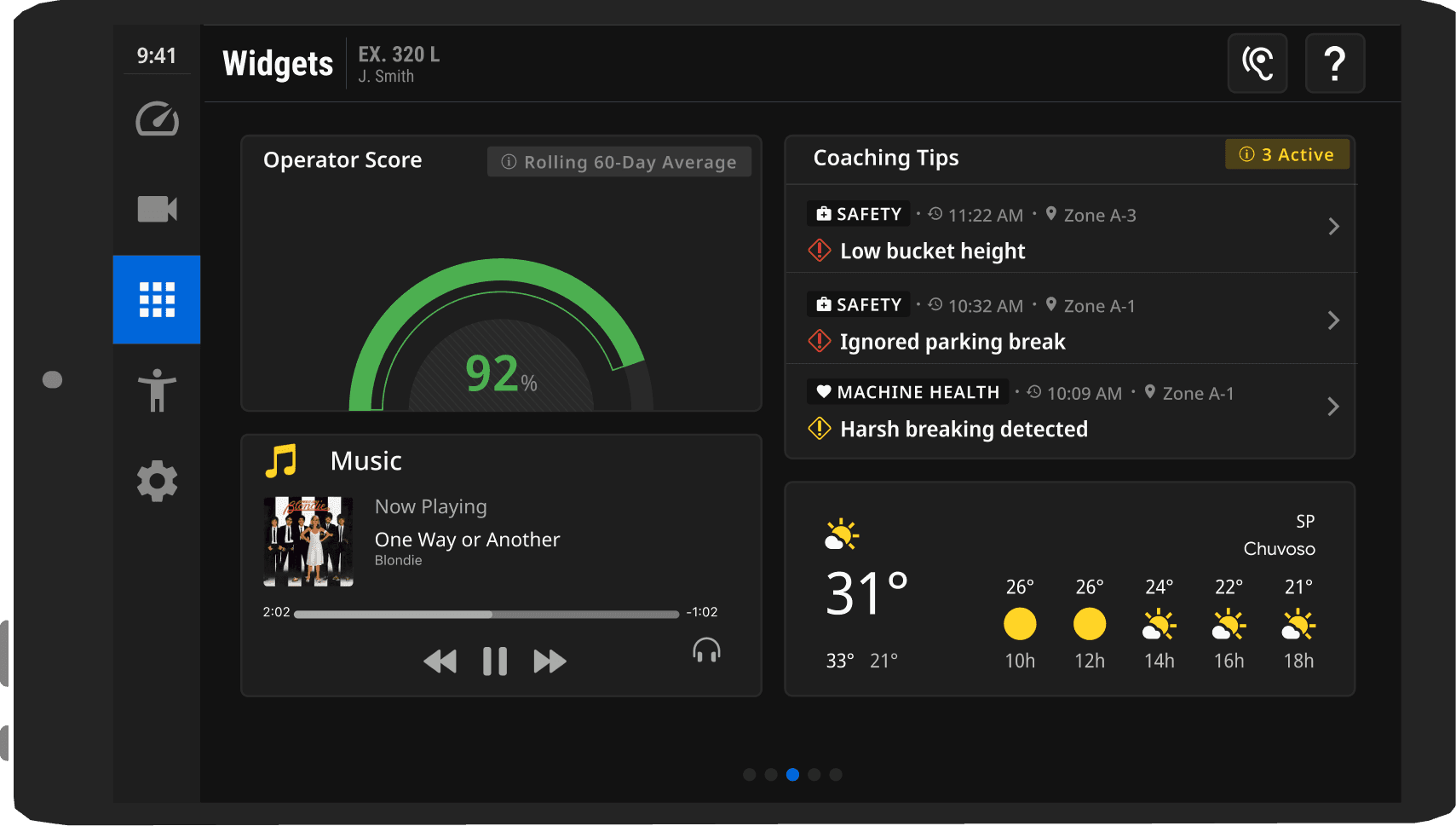
The original screens used percentages that operators didn’t understand, with inconsistent colors that hid priorities.
The final design replaced them with clear gauges, structured tips, and consistent color coding, blue for actions, red for critical issues, yellow for warnings, making it easier to see what’s going well and what needs attention.
Refining the Route Forward
Refining the Route Forward
Accessibility
End-Shift Summary
End-Shift Summary
Accessibility
See it all in Figma
Want to view the first place wireframes? Click the button below to be taken to the design file!
Impact
Impact
Final Solution
Impact
Widget-style, customizable gauge screen
Modern CarPlay-inspired visuals
Supportive, clear coaching flow
Intuitive 3-click navigation
Dark UI designed for real work environments
Clear icons, severity-based colors, and large touchpoints
Focused on simplicity, personalization, and clarity, the design meets operator needs and business goals.
Widget-style, customizable gauge screen
Modern CarPlay-inspired visuals
Supportive, clear coaching flow
Intuitive 3-click navigation
Dark UI designed for real work environments
Clear icons, severity-based colors, and large touchpoints
Focused on simplicity, personalization, and clarity, the design meets operator needs and business goals.
Our solution addressed an active challenge the Fortune 500 UX team was facing, delivering research-backed recommendations to improve in-cab screens and operator coaching. We presented our findings and designs to the global UX team, sharing actionable insights they could take forward.
Working with a team of diverse strengths taught me the value of role alignment and advocating for my ideas. Under a tight timeline, another teammate and I led much of the design work, strengthening my collaboration and decision-making skills.
Working with a team of diverse strengths taught me the value of role alignment and advocating for my ideas. Under a tight timeline, another teammate and I led much of the design work, strengthening my collaboration and decision-making skills.
Next steps focus on iterating from user testing, adding interactive gauges, and strengthening design system alignment. We also plan deeper operator research and a companion app that lets operators review feedback, track scores, and customize their experience off-shift.
Lessons Learned
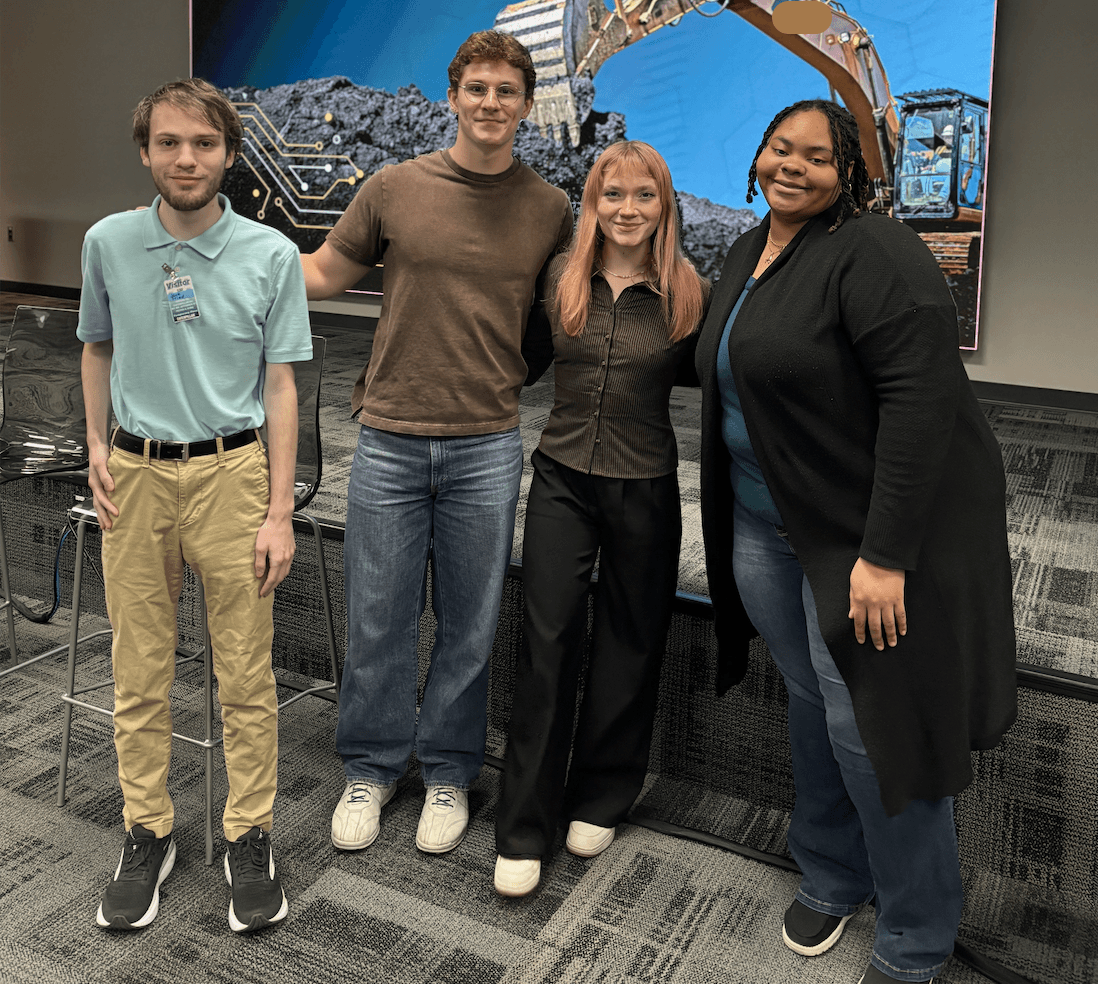
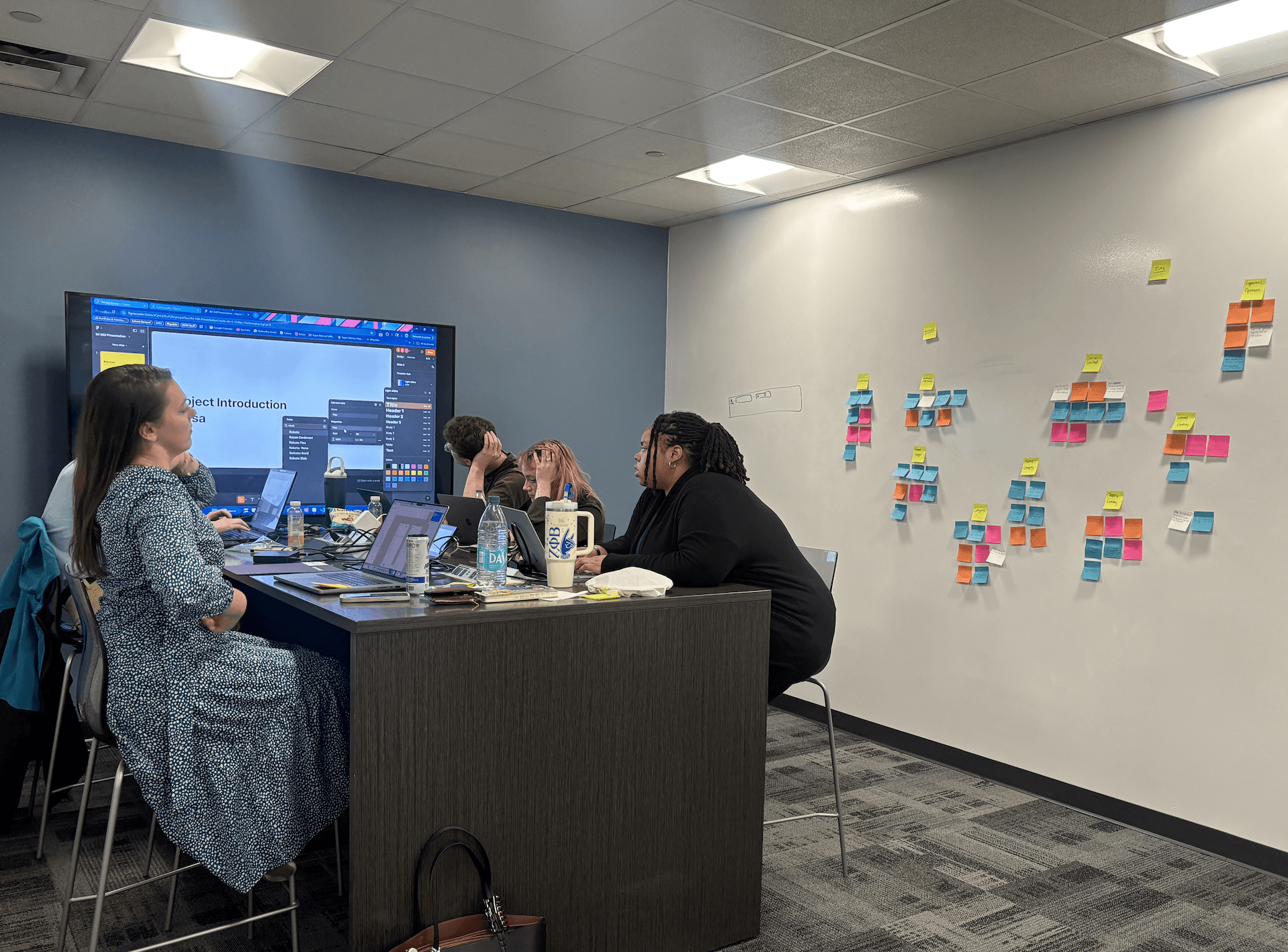
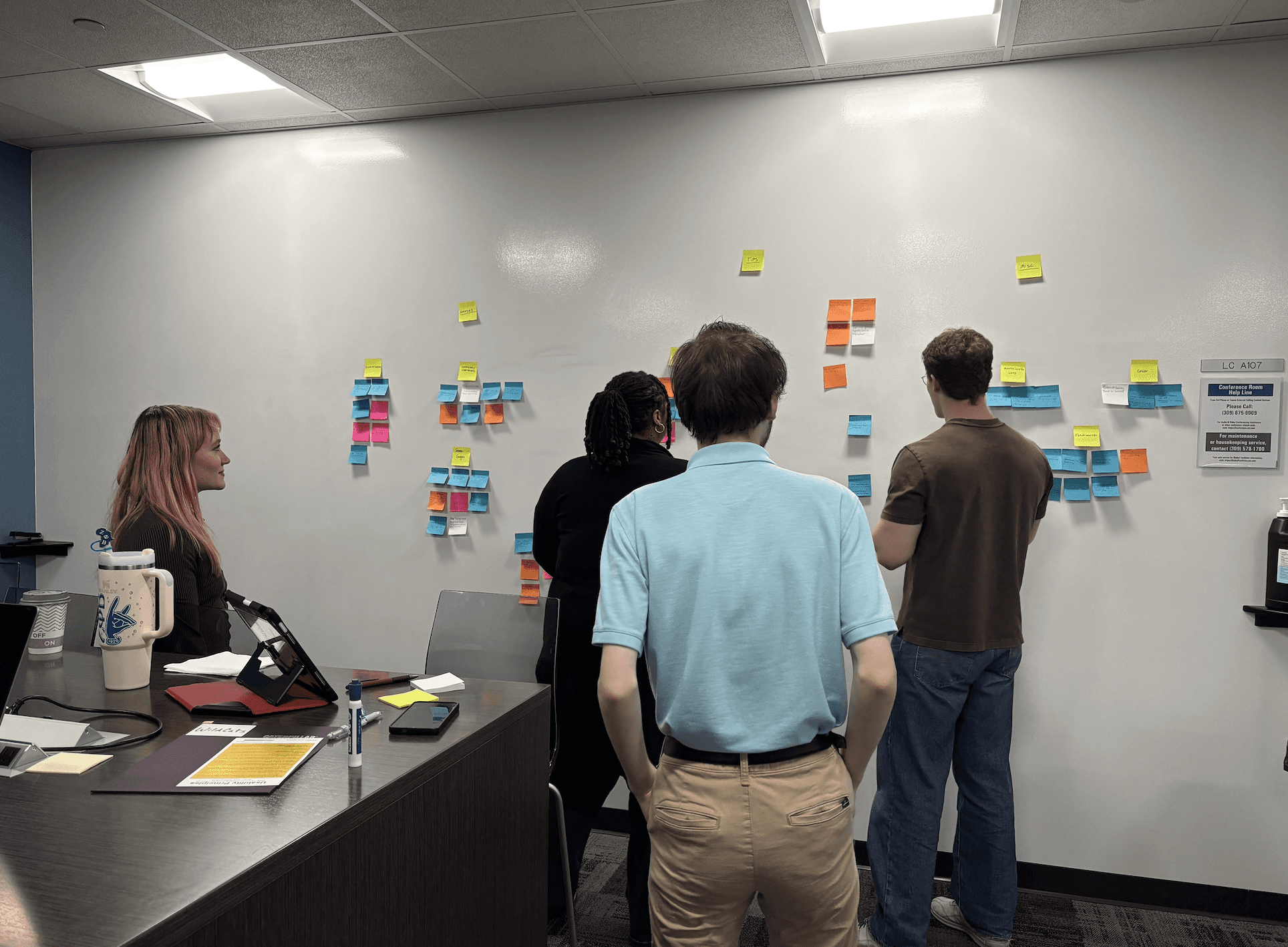
Some pictures from challenge day!
Next Steps
Next steps focus on iterating from user testing, adding interactive gauges, and strengthening design system alignment. We also plan deeper operator research and a companion app that lets operators review feedback, track scores, and customize their experience off-shift.
Destination Reached
The Medicaid Playbook
Where do you want
to go?
Let's find the next destination for great design together!
Where do you want
to go?
Let's find the next destination for great design together!
Where do you want
to go?
Let's find the next destination for great design together!
This UX journey follows the path from our project plan to clear direction through ideation, flows, and inspiration. Ready to keep going?
View the UX Journey
Overview
Re-designed an in-cab interface for heavy machinery to improve trust and usability in high-risk environments. Completed as part of a UX design challenge with a Fortune 500 company, where my team’s solution earned 1st place.
My Roles
Lead Designer
UX Researcher
Prototyper
Team Members
Alex Chartrand
Anisa Ellis
Jack Fried
Tools
Figma
Teams
Client
Fortune 500 Company
Research
Plotting the Path
Main Problem
Operators didn’t trust the in-cab system or understand what managers could see, so they avoided using it. The screens felt overwhelming and confusing. Our research showed the core issues were lack of trust and lack of clarity.
The Interview
I requested a one-on-one interview with an operator so our team could hear directly from users. We created an interview script together and organized the responses in FigJam. Three of our key takeaways from there interview were:
The current in-cab interface is cluttered, with small touchpoints, and many operators have limited literacy.
A successful design should be simple (at max three touches per task), image-heavy, and easy to navigate
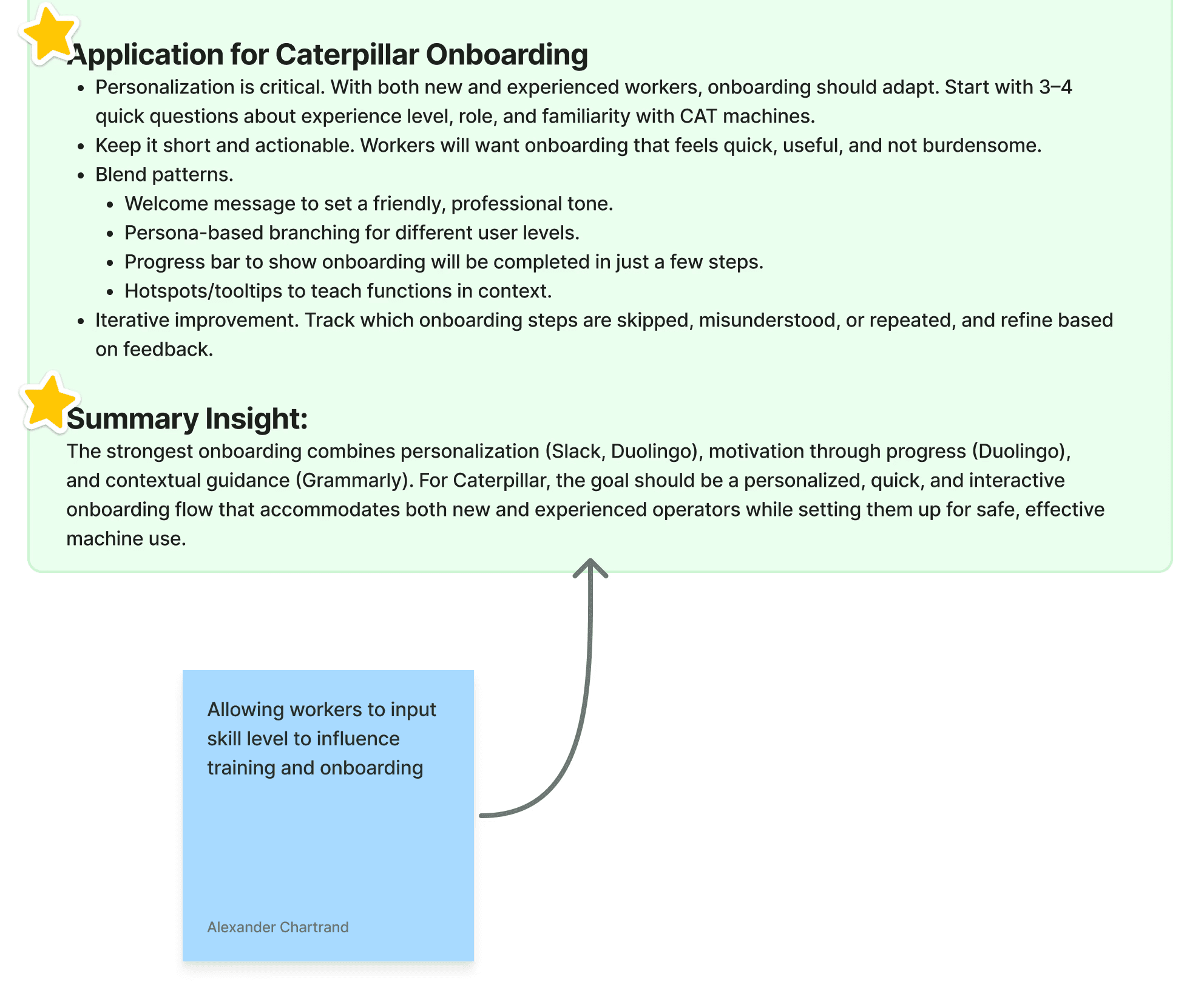
A competitive analysis of in-cab systems revealed key patterns that support operators — quick onboarding, clear cues, consistent layouts, and guided workflows — shaping our direction for ideation.
After aligning on operator pain points, we used Crazy 8s and Dot Voting to prioritize solutions such as manager feedback visibility, smart coaching with replay, customizable UI modes, profile-based layouts, and supportive gamification — all aimed at a more intuitive operator experience.
Ideation
Competitive Anaylsis
Operators fall into two groups: Novices, who are eager to learn, and experienced, who prefer not to be micromanaged, but both want a system they can trust.
View the UX Journey
This UX journey follows the path from our project plan to clear direction through ideation, flows, and inspiration. Ready to keep going?
View the UX Journey
This UX journey follows the path from our project plan to clear direction through ideation, flows, and inspiration. Ready to keep going?
Design
Three paths emerged:
Focused on customization
Coaching
Extra Features
Each guiding operators in different ways. Take a look at the before and after from user testing of the in- cab screens.
Gauges
Before user testing, the design had 12 gauges with indicators around the edges. Operators found the screen overwhelming, hard to interpret, and wanted more control over which gauges they saw.
After user testing, we added customizable gauges (up to 10), integrated glowing indicators directly into each gauge, and simplified text with icons - making the screen clearer, faster to read, and more user-friendly.
Coaching System
The original screens used percentages that operators didn’t understand, with inconsistent colors that hid priorities.
The final design replaced them with clear gauges, structured tips, and consistent color coding, blue for actions, red for critical issues, yellow for warnings, making it easier to see what’s going well and what needs attention.
Features We Added
The ear icon lets operators toggle audio on or off. When on, holding any element for two seconds reads it aloud. This supports low-literacy users without adding clutter for others.
Accessibility
We built trust with a session summary that shows exactly what managers can see, using supportive language instead of negative wording. We also added a comments section so operators can explain their score to managers, giving them more transparency, context, and control.
End-Shift Summary
Refining the Route Forward
See it all in Figma
Want to view the first place wireframes? Click the button below to be taken to the design file!
The original screens used percentages that operators didn’t understand, with inconsistent colors that hid priorities.
The final design replaced them with clear gauges, structured tips, and consistent color coding, blue for actions, red for critical issues, yellow for warnings, making it easier to see what’s going well and what needs attention.
See it all in Figma
Want to view the first place wireframes? Click the button below to be taken to the design file!
After user testing, we added customizable gauges (up to 10), integrated glowing indicators directly into each gauge, and simplified text with icons - making the screen clearer, faster to read, and more user-friendly.
The Medicaid Playbook
Impact
Destination Reached
Final Solution
Widget-style, customizable gauge screen
Modern CarPlay-inspired visuals
Supportive, clear coaching flow
Intuitive 3-click navigation
Dark UI designed for real work environments
Clear icons, severity-based colors, and large touchpoints
Focused on simplicity, personalization, and clarity, the design meets operator needs and business goals.
Impact
Our solution addressed an active challenge the Fortune 500 UX team was facing, delivering research-backed recommendations to improve in-cab screens and operator coaching. We presented our findings and designs to the global UX team, sharing actionable insights they could take forward.
Lessons Learned
Working with a team of diverse strengths taught me the value of role alignment and advocating for my ideas. Under a tight timeline, another teammate and I led much of the design work, strengthening my collaboration and decision-making skills.
Next Steps
Next steps focus on iterating from user testing, adding interactive gauges, and strengthening design system alignment. We also plan deeper operator research and a companion app that lets operators review feedback, track scores, and customize their experience off-shift.
Some pictures from challenge day!
The Medicaid Playbook